
A modern business phone system should make it easier to answer calls as people and locations change. Hosted VoIP can help, but the right result depends on call routing, network readiness, devices and a careful migration. Here is what to assess before you switch.
When the phone system starts to hold you back
A phone system becomes a problem when a new hire needs a complicated setup, calls have to be forwarded manually between offices, or remote staff cannot answer through the same business number. Older equipment may also need specialist maintenance and leave limited room for changes in call flow.
These are reasons to review the system, not proof that every legacy PBX is unreliable. Start by documenting where calls arrive, which teams answer them, the hours you cover and what happens when nobody picks up. That call map makes the next design more useful than a feature list alone.
What hosted VoIP actually changes
Voice over Internet Protocol (VoIP) carries calls over an IP network. A hosted private branch exchange (PBX) places the system that manages extensions, routing and voicemail with a provider rather than requiring your business to maintain that PBX on site. Staff can use compatible desk phones or softphone apps on computers and mobile devices, depending on the chosen setup.
Questions to compare before moving
| Area | On-site PBX | Hosted VoIP PBX |
|---|---|---|
| System management | Your organization maintains the PBX equipment and its software. | The provider hosts the PBX platform; your team still needs to manage users, devices and its network. |
| Adding a user | May depend on available capacity, licensing and local configuration. | Often handled through account and extension changes, subject to plan, devices and licensing. |
| Calling during an outage | Depends on the local PBX, lines and power. | Depends on internet, local power, devices and the provider; a failover route needs to be planned. |
Moving the PBX to the cloud removes some on-site equipment, but it does not remove the need for a reliable connection, suitable handsets or a clear continuity plan.
Features that help as a team grows
ThinkSwift's Unified Communications offering describes desk phones and softphones alongside call management features. The useful choice depends on who answers calls and how customers reach them.
One business presenceRoute calls to the right team or extension while employees work from an office, home or another site. | Flexible call flowUse auto-attendants, forwarding, queues and voicemail-to-email where they fit your customer journey. |
Users and devicesAdd or change extensions as roles shift, with the appropriate desk phone or softphone for each person. | Useful call visibilityReview call volume and routing patterns to find missed calls or pressure points in coverage. |
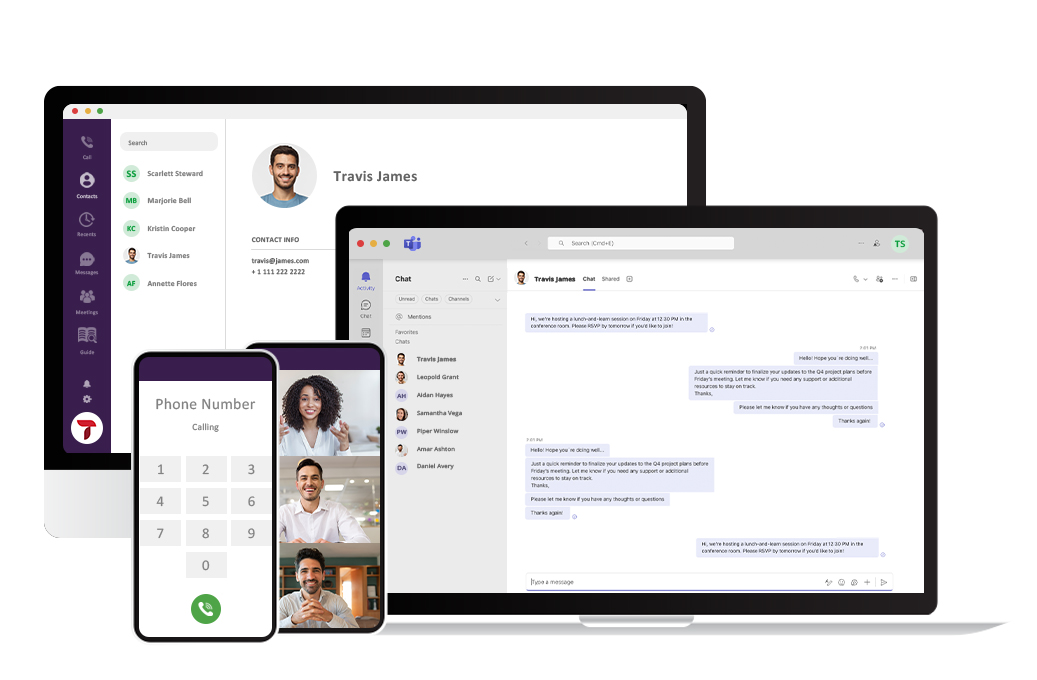
Some integrations with Microsoft Teams or CRM systems are described on ThinkSwift's service page. Confirm compatibility, licensing and the exact workflow during solution design rather than assuming every integration is included in every deployment.
Plan the move before porting numbers
A smooth change starts with the existing numbers and call paths. Record main lines, direct numbers, fax or alarm dependencies, after-hours rules, voicemail boxes and any phones that must keep working at a physical location.
- Check the network. Review bandwidth, latency, Wi-Fi and wired coverage where calls will be made.
- Choose devices. Decide who needs a desk phone, headset, computer app or mobile app.
- Design call routing. Map business hours, holidays, ring groups, queues, overflow and voicemail ownership.
- Prepare continuity. Decide how calls should be handled during an internet, power or provider outage.
- Confirm emergency calling. Review location information and the provider's emergency calling process for office and remote users.
- Test before cutover. Verify inbound and outbound calls, transfers, voicemail, caller ID and the number porting plan.
Number porting and user training are part of the transition described in the original article. Timing and responsibilities should be agreed in the project plan so staff know what will change and when.
Price the whole calling setup
Hosted calling is commonly billed as a recurring service, but a useful comparison includes more than the monthly rate. Consider calling destinations, user licences, devices, headsets, internet upgrades, number porting, support and any integration requirements. The current system also has maintenance and replacement costs.
Ask for the full scope: which features are included, what is billed separately, what happens when users are added or removed, and what contract and support terms apply. Savings vary with the existing system and calling pattern.
A system that handles calls more consistently may justify the investment even when the phone bill alone does not fall. Define that outcome before comparing proposals.
Build around the next stage of work
A growing business needs a phone system that is easy to adjust as teams, locations and hours change. ThinkSwift can help map the current call flow, choose devices and routing, and plan the move to its hosted voice platform. The best design is the one your staff can use and your customers can reach.
Questions answered
FAQ
Practical answers before you switch.
01Do we need to replace every desk phone?
Not necessarily. The answer depends on device compatibility and how each person works. Some users may prefer a softphone and headset, while others need a desk phone.
02Can we keep our business numbers?
Number porting is commonly part of a migration, but availability and timing should be confirmed for each number before setting a cutover date.
03What happens if the office internet goes down?
Office phones that rely on that connection may lose service. Plan a fallback such as alternate connectivity or routing to mobile devices, and test it before relying on it.
Plan a phone system that fits your team.
Talk with us about your numbers, locations, call flow and what needs to work during a migration.
Talk it through